Practice & Values Guide
This page explains how to practice with Cosmic Zen and how to dial in your values for Timing and Tempo.
All examples assume you are using MyCourt with Shot Feedback enabled.
1. How to Practice
Practicing in a controlled environment makes it easier to build consistent timing and tempo.
The recommended place to start is your MyCourt, with online latency and difficulty set up correctly.
1.1 Set Online Latency in MyCourt
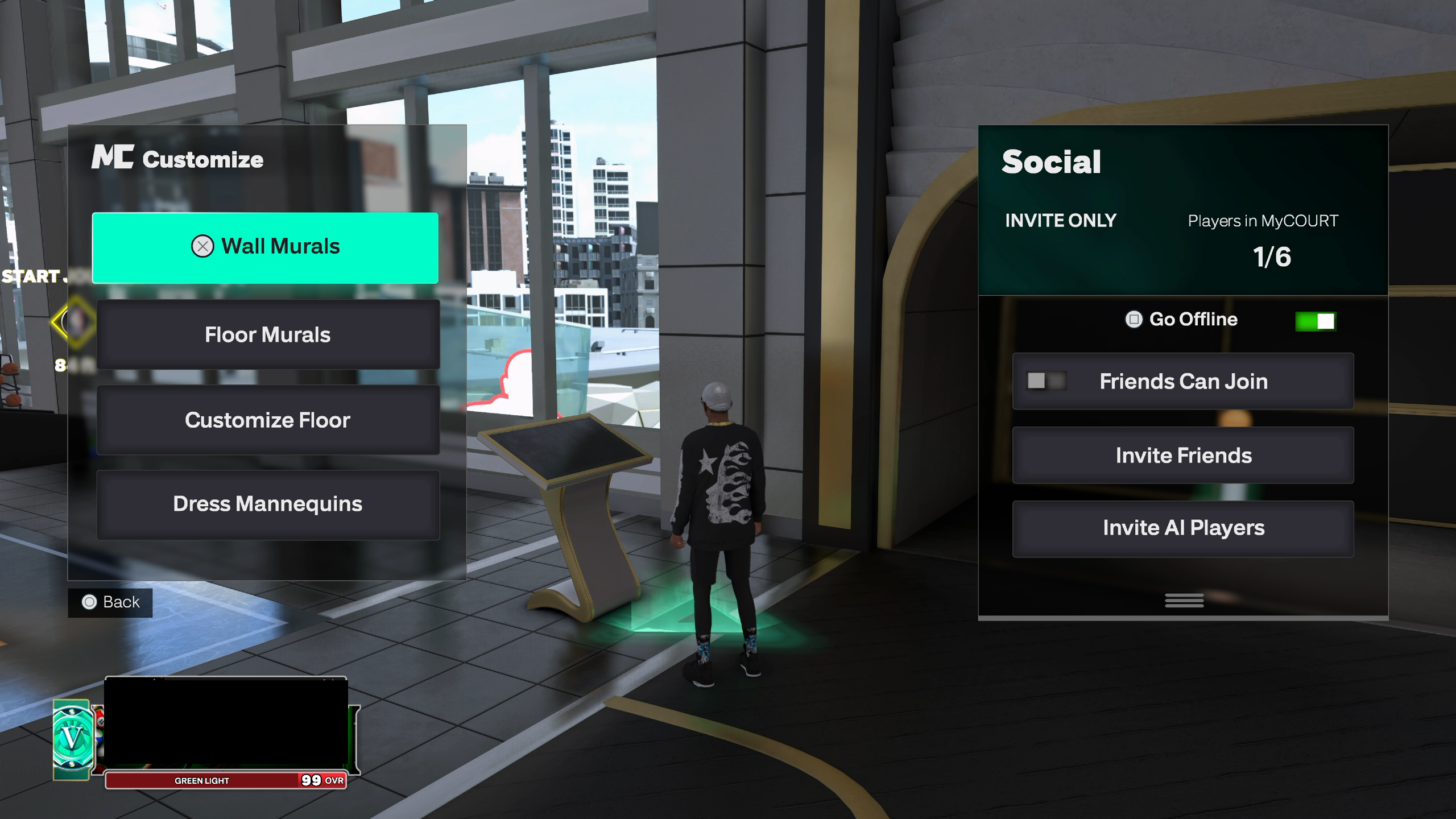
- Go into the MyCourt building.
- Walk up to the kiosk in front of the court.
- Press SQ / X to go Online.
- Hop on the court and shoot a few jumpshots to get used to the online delay.
This simulates the same latency you’ll feel in real online games.
1.2 Set Difficulty Sliders
Once you are on the court:
- Press OPTIONS (PS) or MENU (Xbox) to open the Play Menu.
- Above the Continue button, look for Slider Preset.
- Press R3 (PS) or RS IN (Xbox) to toggle through difficulty presets.
Rhythm with SQ/X & Difficulty
If Rhythm with SQ/X is enabled, your RS button won’t be available.
Temporarily turn Rhythm with SQ/X OFF if you need to use RS or switch difficulty presets.
Choose a difficulty that matches how you normally play online so your practice translates cleanly.
1.3 Finding Your Visual Cue (Rhythm Shooting)
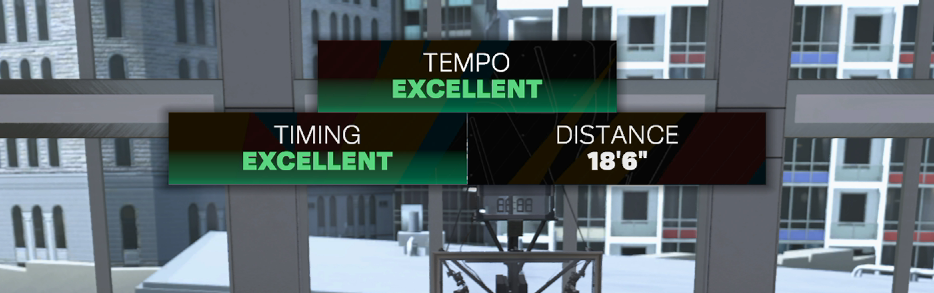
With shot feedback ON, take a few jumpshots and pay attention to:
- The meter result (Early, Late, Slightly, Excellent)
- The visual point where you release the button or stick
For Rhythm Shooting, the system uses its own visual cue, not your custom creator setting.
General rule of thumb:
- For most jumpshots, you should release when the ball reaches the top of your head.
- Some shots may vary slightly, so follow the feedback and adjust.
Use shot feedback as a guide:
- Slightly Early → you’re releasing too early.
- Slightly Late → you’re releasing too late.
If your shot Tempo constantly says “Slightly” one way or another, adjust your Tempo Standing following 2.1 Tempo Values:
Not seeing Tempo?
You must not red release the jumpshot in order for Timing and Tempo to both appear.
Shooting button doing nothing?
You most likely bypassed your Cronus Zen incorrectly with the PS5.
Please reaccomplish the bypass: PS5 Bypass Guide →
2. Values: Tempo & Timing
Once you’re comfortable with your visual cue, it’s time to lock in your Tempo values.
If you plan on using Autogreen or Release Vibration, you will also want to use this guide to find your Timing values.
Before you start:
- Your Zen should already be connected and fully bypassed.
- You should be in MyCourt connected to server
(kiosk next to the court → press SQ / X to go Online)
or any online court such as the Gatorade facility.
2.1 Tempo Values
Tempo values reflect how fast the stick is flicked the opposite way in a Rhythm Shot animation.
Setup
- Set Shot Feedback to All Shots.
- Turn Autogreen OFF (you’re focusing purely on tempo feel).
- Use your preferred Rhythm Shot input method (Button Rhythm or Stick Auto Tempo).
Process
Take around 3–5 shots and watch the Tempo feedback:
- Slightly Rushed → your tempo is too fast → increase the value.
- Slightly Slow → your tempo is too delayed → decrease the value.
Key Concept: Tempo Depends on You
- The earlier you naturally release → the higher your tempo value will usually need to be.
- The later you naturally release → the lower your tempo value will be.
Try to keep your release timing:
- Consistent from shot to shot
- The same between MyCourt and real games
If your release is consistent, your tempo values will stay consistent.
2.2 Timing Values (Autogreen)
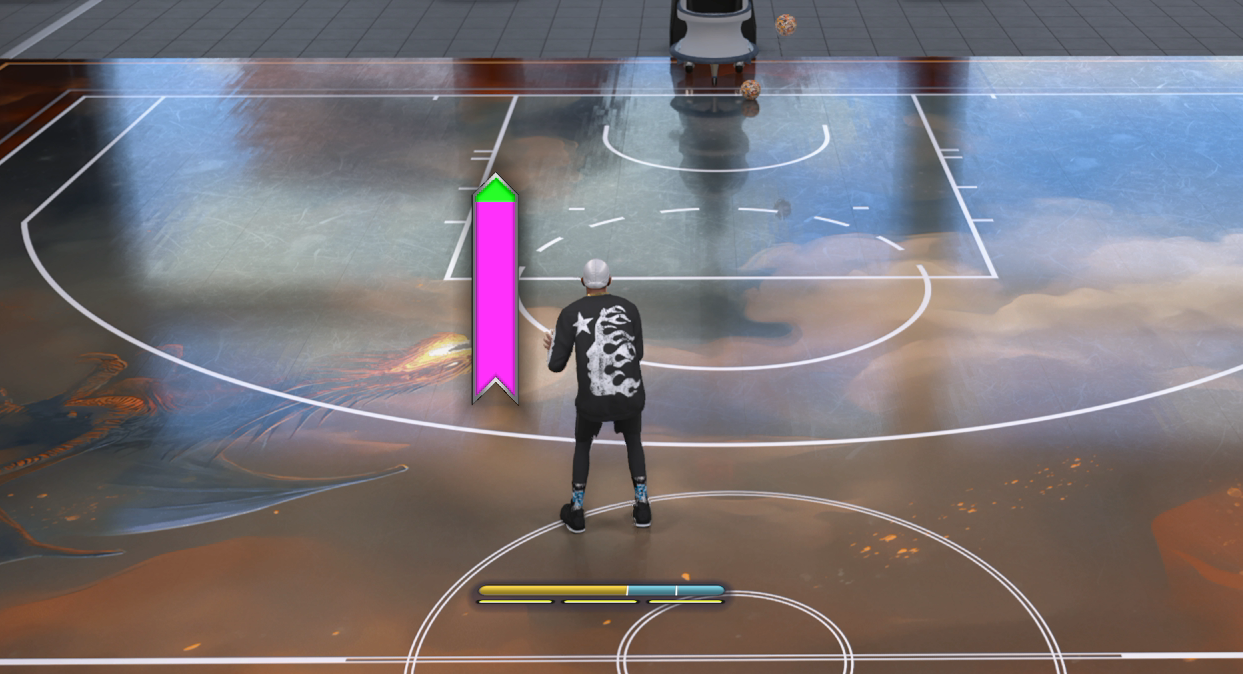
These values control how long your jumpshot takes to perform. The script uses these to know when to release the shot or vibrate your controller.
Setup
- Set Shot Feedback to All Shots.
- Turn Autogreen ON.
- Turn any jumpshot meter ON in Customize HUD (you just need visibility – style doesn’t matter).
Process
Take around 3–5 shots and watch where the meter ends:
- If the meter stops before the green window → the release is too early → increase the time.
- If the meter stops past the green window → the release is too late → decrease the time.
Your goal:
- Have the meter end inside the green window as often as possible.
Because of variable timing and moving green windows, you won’t get 100% perfection, but you should aim for a strong majority of shots landing in green.